StoveGuardian Back to the main page
User manual

Setting up StoveGuardian

Setup takes about five minutes with your phone. Do it once, then mount the puck and leave it alone. This manual covers firmware 1.96. Pre-production: details may change before units ship.

What's in the box

You also need 3 AA alkaline batteries, a phone with Wi‑Fi and the name and password of your home Wi‑Fi. Phone calls use our calling service ($24 a year; the first year is included for Kickstarter backers).

STEP 1

Put in the batteries

  1. Twist the puck off its plate and open the case.
  2. Put the 3 AA batteries in the holders, matching the + and − marks printed on the board.
  3. Instead of batteries you can also power it from a USB‑C charger plugged into the port on the board.
  4. The small light on the board flashes 3 times: it's on. After that the light stays off to save battery.
STEP 2

Open the setup page

  1. Press the button marked BOOT on the circuit board. StoveGuardian wakes up and stays awake for 3 minutes so your phone can connect.
  2. On your phone, open Wi‑Fi settings and join the network named StoveGuardian- plus four letters or numbers, for example StoveGuardian-3A7F. It has no password.
  3. Open your browser and go to 192.168.4.1.

The setup page opens. At the top it shows what the puck sees right now: whether someone is near, how far away, the stove temperature and the battery voltage.

The puck stays awake while the page is open and you're tapping it. After 3 minutes with no taps it goes back to sleep to save battery. Press BOOT again to wake it.
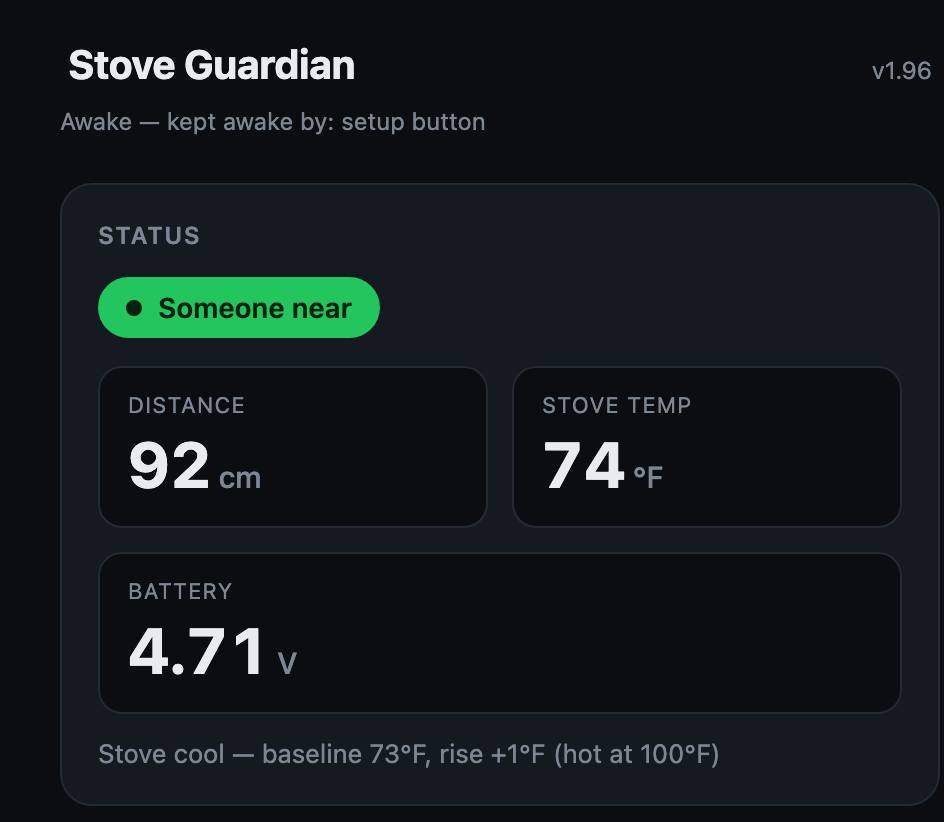
Setup page status card: Someone near, distance 92 cm, stove temp 74 °F, battery 4.71 V
The status card at the top of the setup page.
STEP 3

Connect it to your Wi‑Fi

  1. Scroll to Home WiFi.
  2. Type your Home WiFi name and Password exactly as they are (capital letters count).
  3. Tap Save & connect.

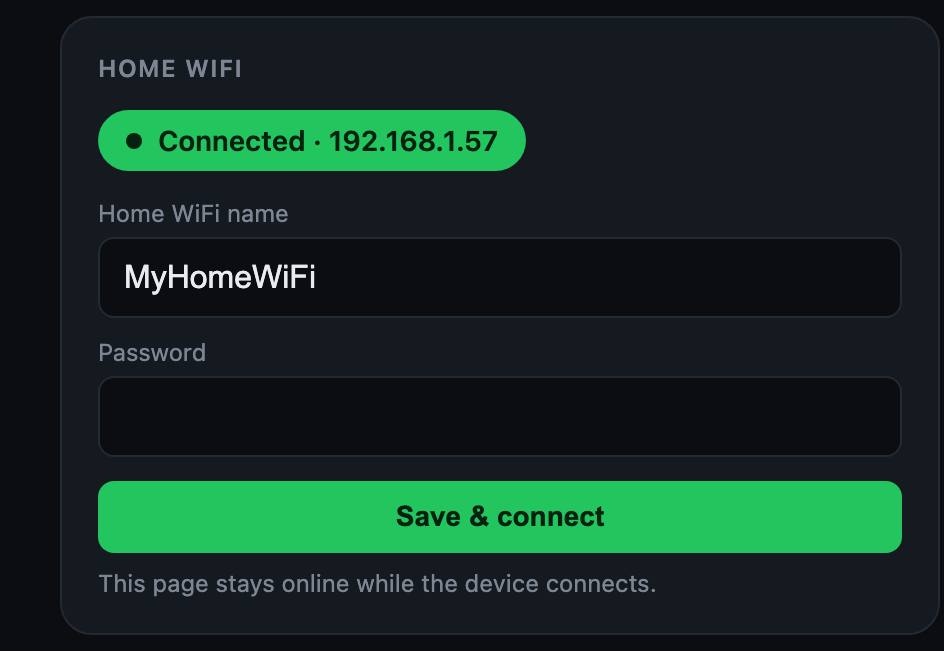
The badge turns green and says Connected when it's on your Wi‑Fi. If it says Connect failed — check password, fix the password and save again.

StoveGuardian uses 2.4 GHz Wi‑Fi. Most home routers have it on by default.

Home WiFi card with WiFi name, Password and Save & connect button
Connected to the home Wi‑Fi.
STEP 4

Choose who gets the call

  1. Under Stove alert, type the phone number to call and tap Save. It can be your own number, a family member's or a neighbor's.
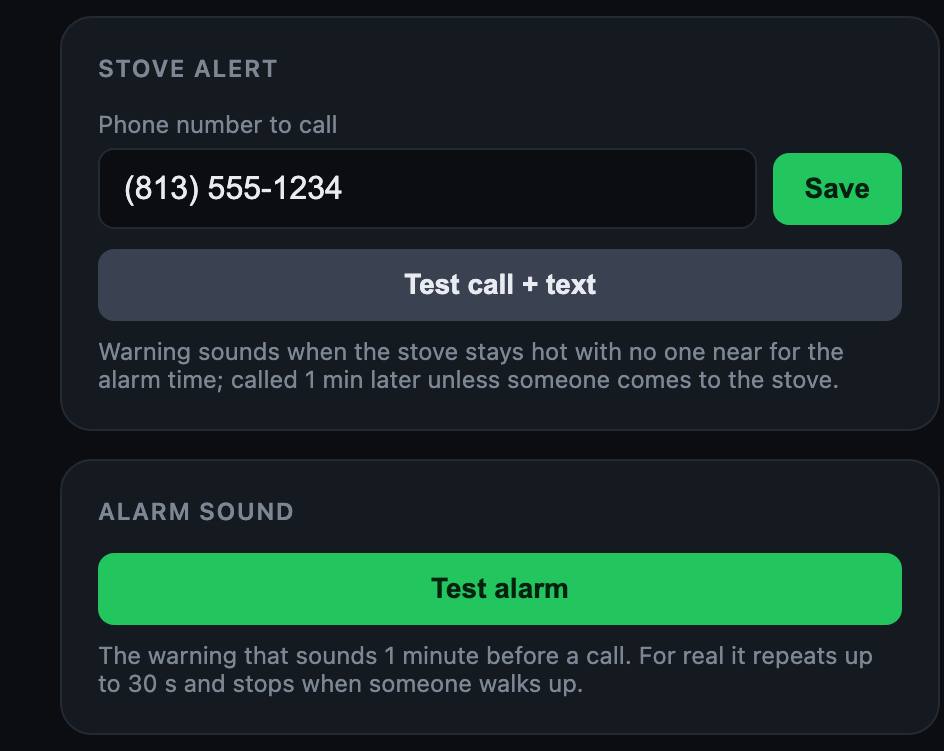
  2. Tap Test call + text. That phone should ring and get a text within a minute.
  3. Under Alarm sound, tap Test alarm to hear the warning it plays in the kitchen.

To stop calls, clear the number and tap Save.

Stove alert card with phone number, Save, Test call + text, and Alarm sound card with Test alarm
Phone number and the two test buttons.
STEP 5

Check the settings

The defaults suit most kitchens. Change one with its box and Set.

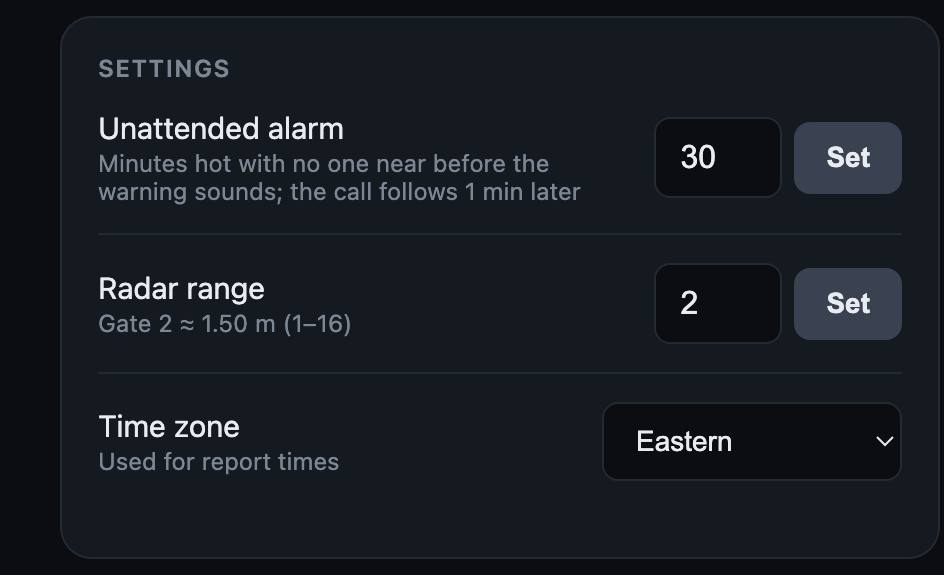
  • Unattended alarm: minutes the stove can stay hot with nobody near before the warning sounds. Default 30, from 1 to 240. The call follows 1 minute after the warning.
  • Radar range: how far it looks for people. Default 2 (about 1.5 m, the space in front of the stove). Raise it if you cook farther from the hood; lower it if it sees people in the next room.
  • Time zone: used for the times in reports.
Settings card: Unattended alarm 30, Radar range 2, Time zone Eastern
Settings with their default values.
STEP 6

Mount it above the stove

  1. Close the case.
  2. Stick the mounting plate to the underside of the range hood, roughly above the middle of the cooktop. Clean the spot first.
  3. Twist the puck onto the plate until it stops.

That's it. For the first few minutes it learns what your cold stove looks like, then it watches on its own.

Mount it where nothing blocks its view of the burners and at least 20 cm (8 in) from where people's heads usually are.

Everyday use

You're cookingIt sees you near the stove and stays quiet.
You step awayIt starts counting. If the stove is still hot and nobody comes back within the alarm time (30 min by default), a loud warning sounds in the kitchen.
Nobody comes backOne minute after the warning, it calls the phone number you saved.
Someone walks upThe warning stops as soon as a person reaches the stove.
Stove is coolIt gives a short double chirp when someone walks by, takes a quick heat reading and goes back to sleep. While the stove is hot it also wakes every 5 minutes to recheck.
Please read: StoveGuardian tells you a stove was left on. It does not turn the stove off and it does not replace a smoke detector. The kitchen alarm works without Wi‑Fi; the phone call needs Wi‑Fi.

Batteries and care

Specs

Size130 mm diameter, 29 mm tall, plus 3 mm mounting plate
Power3 × AA alkaline (4.5 V), or USB‑C 5 V
Heat sensorMLX90614 infrared, non-contact
Presence24 GHz mmWave radar (HLK-LD2410S)
Wi‑FiESP32-S3 module, 2.4 GHz, FCC ID 2AC7Z-ESPS3MINI1
AlarmPiezo buzzer, stops when someone walks up
UseIndoors, above a home cooktop

FCC notice: This device has not been authorized as required by the rules of the Federal Communications Commission. This device is not, and may not be, offered for sale or lease, or sold or leased, until authorization is obtained.